

Appearance
Component lifecycle events
WeWeb components have different stages in their life - from appearing on a page to being removed. At each stage, you can make things happen automatically using lifecycle events.
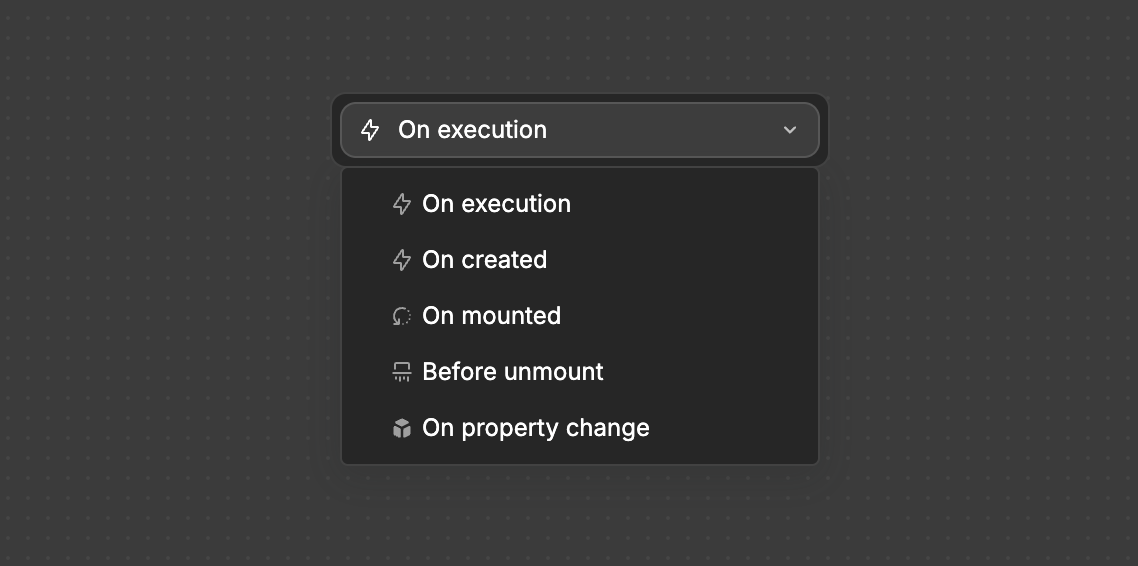
Think of lifecycle events as specific moments when you can trigger actions in your component. They help you control exactly when things should happen, making your components smarter and more automated.
The Events and Their Use Cases
On execution
Runs when you execute it within a workflow. Example workflows:
- Shopping Cart - Add Item To Cart
- Updating the cart count
- Trigger an animation
- Show a success message
- Multi-step Form - Change Step
- Validate current step data
- Show any error messages
- Move forward or highlight issues
- Data Table - Change Sorting
- Update display order
- Show loading state
- Refresh data view with new sorting
On mounted
Runs after your component is fully loaded on the page. Example workflows:
- Analytics Dashboard - Load User Data
- Start automatic refresh cycles
- Set up chart displays
- Mark as ready to render
- Content Feed - Load First Posts
- Set up infinite scroll detection
- Prepare layout grid
- Mark component as fully placed
- Chat Widget - Connect To Message Service
- Load recent conversation history
- Start listening for new messages
- Mark chat as ready for use
On created
Runs when component first appears. Example workflows:
- Dynamic Form - Set Up Default Values
- Determine visible fields based on permissions
- Prepare validation rules
- Product Configurator - Initialize Starting Options
- Set default pricing
- Prepare configuration rules
- Calendar View - Set Initial Date Range
- Determine view type (month/week/day)
- Prepare event placeholders
Before unmount
Runs right before removing the component. Example workflows:
- Document Editor - Check For Unsaved Changes
- Offer to save draft
- Clear temporary storage
- Stop auto-save processes
- Video Player - Save Current Timestamp
- Clean up media resources
- Remove keyboard shortcuts
- Clean streaming connections
- Game Component - Save Current Game State
- Clear intervals
- Remove event listeners
- Stop all animations
On property change
Runs when component properties update. Example workflows
- Pricing Calculator - Quantity Changed
- Update product options
- Change shipping method
- Recalculate totals
- Update tax calculations
- Refresh delivery dates
- Custom Chart - Data Source Updated
- Refresh visualizations
- Resize chart elements
- Update legends
- Adjust responsive layout
- Filtered List - Filter Criteria Changed
- Update displayed items
- Refresh sorting
- Update URL parameters
- Maintain scroll position
Real-World Example: Advanced Profile Editor Component
See how different events work together in a profile management system:
1. On created
- Set up empty form structure
- Initialize validation rules
- Prepare image upload handlers
- Set default privacy settings
2. On mounted
- Load user's current profile data
- Fetch profile picture
- Check user permissions
- Set up auto-save functionality
- Initialize change tracking
3. On property change
- Validate new input values
- Update character counts
- Check username availability
- Trigger auto-save if needed
- Update preview displays
4. Before unmount
- Save any unsaved changes
- Clear temporary image uploads
- Remove auto-save intervals
- Clean up open media selections
5. On execution
- Handle profile updates
- Process image uploads
- Show success/error messages
- Update user interface states
Choose the right event based on when you need actions to occur in your component's lifecycle. This ensures your components behave exactly as intended at every stage.