

Appearance
Reset password
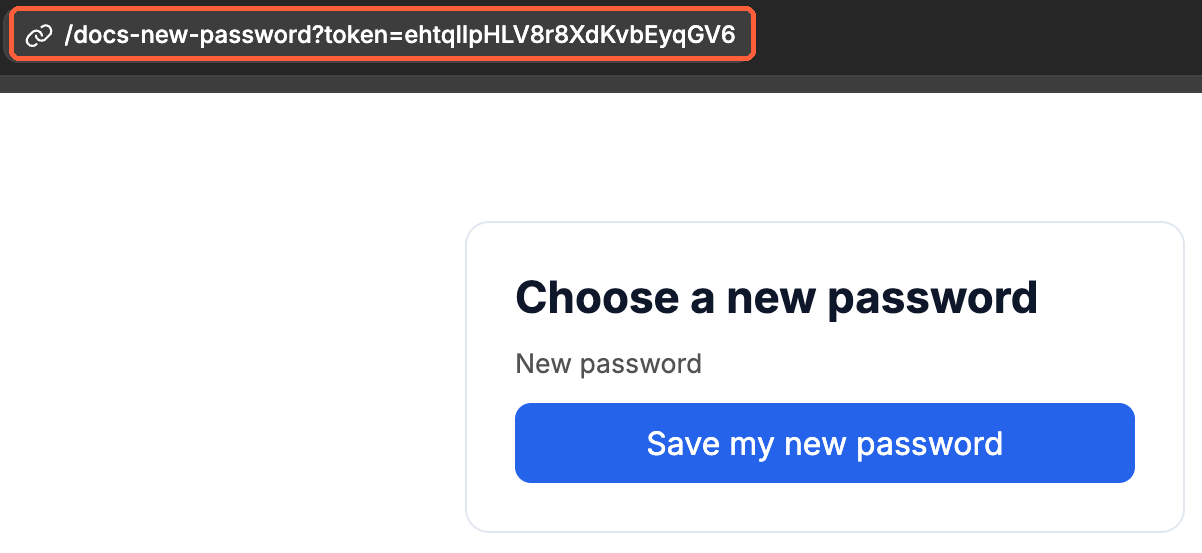
Use this action to finish a "forgot password" flow. When a user opens the link from their password reset email, they land on a page of your app with a token in the URL. On that page, they type a new password, and this action saves it.
This action works with Request password reset, which sends the link. To change the password of a user who is signed in and knows their current password, use Update password instead.
Configuration
| Display Key | Example Input | Description |
|---|---|---|
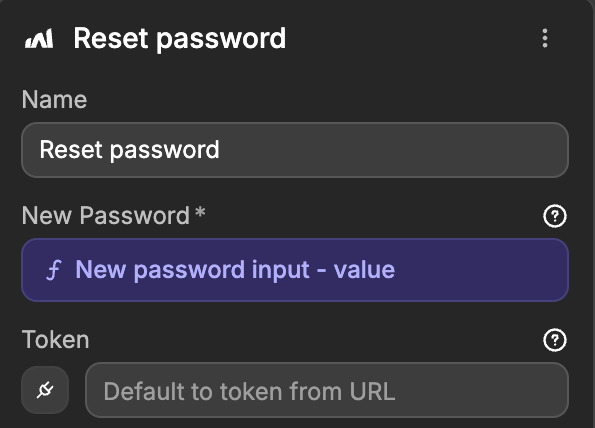
| New Password | "NewStr0ngP@ss!" | The new password the user chose. Bind it to the value of a password input. |
| Token Optional | "ehtqIlpHLV8r8XdKvbEyqGV6" | The token of the reset link. Leave it empty: the action reads the token parameter of the page URL. |
How the reset link reaches this action
- The user asks for a reset link, and your app runs Request password reset with their email.
- In the On password reset requested event trigger, you send the
urlof the event by email. - The user opens the link. WeWeb checks it, then opens the page you chose in
Redirect Page, with the token at the end of the URL, for example/reset-password?token=ehtqIlpHLV8r8XdKvbEyqGV6. - On that page, the user types a new password and your workflow runs
Reset password.
After the reset, the user isn't signed in: send them to your sign-in page so they can sign in with their new password.
Errors
| Error | Reason |
|---|---|
INVALID_TOKEN | The link was already used, it expired, or the page URL has no token. Each link works once. |
PASSWORD_TOO_SHORT | The new password is shorter than the Password minimum length of your authentication settings (8 by default). The link stays valid, so the user can try again. |
When the user opens a link that was already used or that expired, WeWeb still opens the Redirect Page, but with ?error=INVALID_TOKEN in the URL instead of a token. You can show a message on that page, with a button to request a new link.
A link stays valid for one hour by default. You can change it with Reset password token expiration (seconds) in your authentication settings. Learn more about the authentication settings →
Example flow
1
Create the page the reset link opens, with a password input and a button
2
Select this page in the
Redirect Page of the Request password reset action3
On the button, run the
Reset password action with the value of the password input4
On success, navigate the user to your sign-in page. On error, show a message
Related Event Triggers
The
Reset password action will fire these Event TriggersUse this trigger to let users know by email that their password changed, or to log password changes for security purposes.